For NJ Transit rail & bus riders

Your train, your track, before you reach the platform.

Free NJ Transit rail & bus times that are actually live — no password, no ads, no app store.

Get started — it's free

Just your email · works on iPhone & Android

I built it for my own commute. — Max

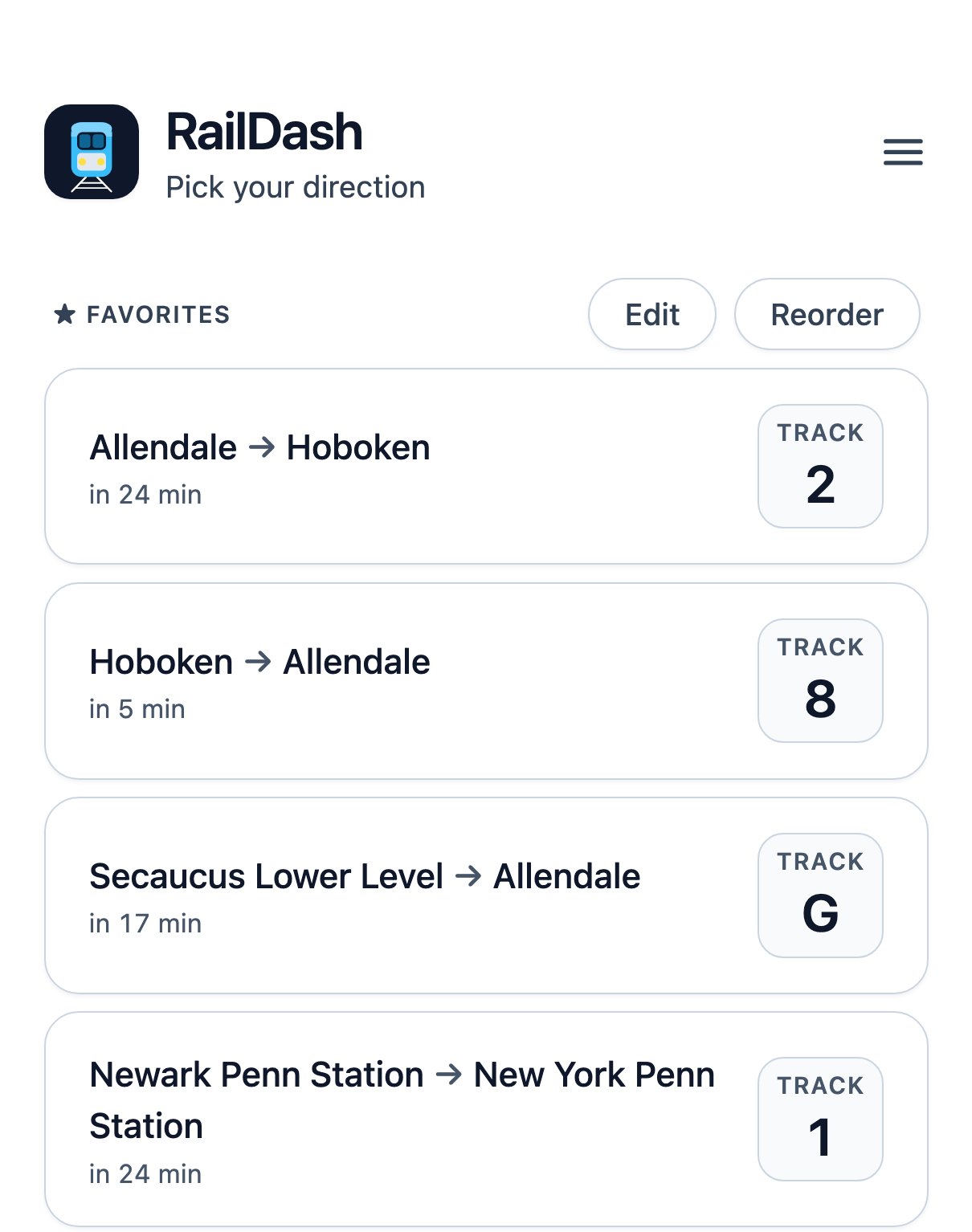
The RailDash home screen with four saved routes, each counting down to its next train and showing its track in a large box: Allendale to Hoboken on track 2, Hoboken to Allendale on track 8, Secaucus Lower Level to Allendale on track G, and Newark Penn Station to New York Penn Station on track 1

01

Delays and track, before you need them.

Real lateness, the departure track the moment NJ Transit posts it, double-decker or single-level, and when you'll arrive.
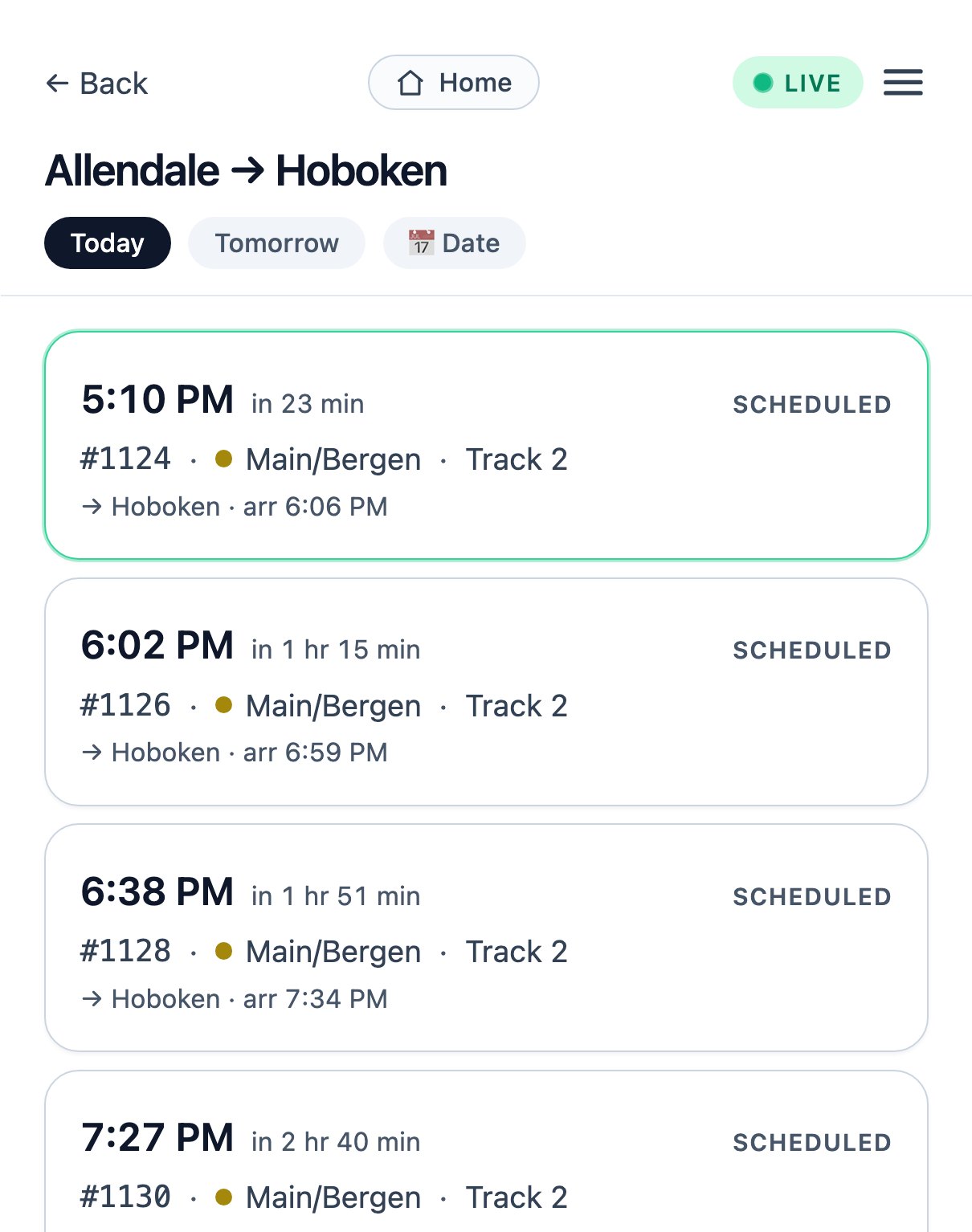
A live departure list from Allendale to Hoboken: the next train, number 1124 at 5:10 PM in 23 minutes, then the later trains, each with its Main/Bergen line, Track 2 and arrival time in Hoboken

02

Watch your train move.

Stop by stop, with an honest ETA into your station — and it shows the train at the platform it's actually standing on.
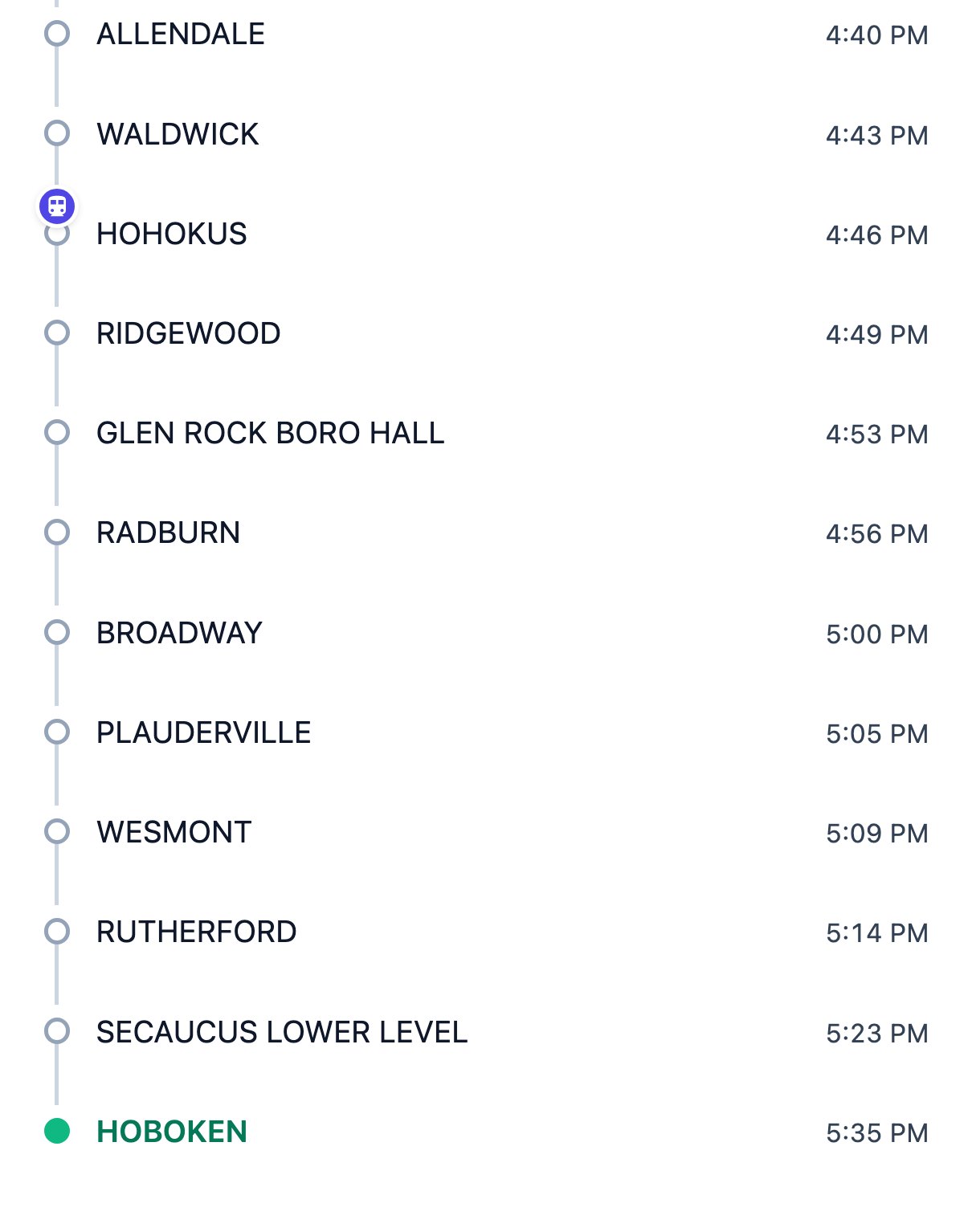
RailDash tracking live NJ Transit train 1178 to Hoboken, its marker drawn on the line at Ho-Ho-Kus, with every remaining stop through Hoboken listed

03

A nudge when it matters.

A push the moment your track is posted, if it's late or cancelled, and when to leave the house — a time that never quietly slides later.
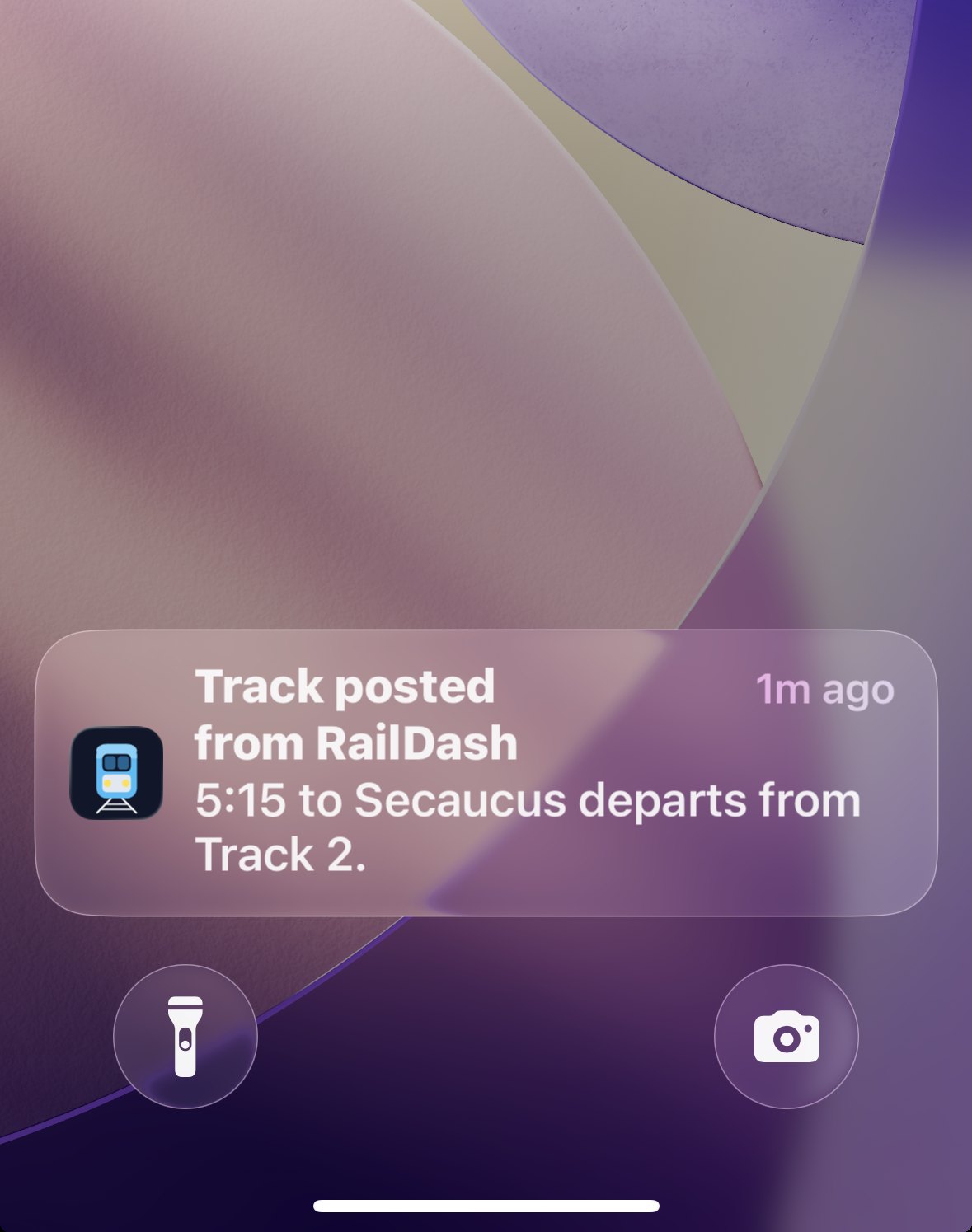
An iPhone lock screen showing a RailDash push: Track posted — 5:15 to Secaucus departs from Track 2

04

Trips with a change, on one screen.

A tab for each train, both already picked. Where you change, how long you've got, and a plain warning when it looks too tight — with the next trains already lined up.
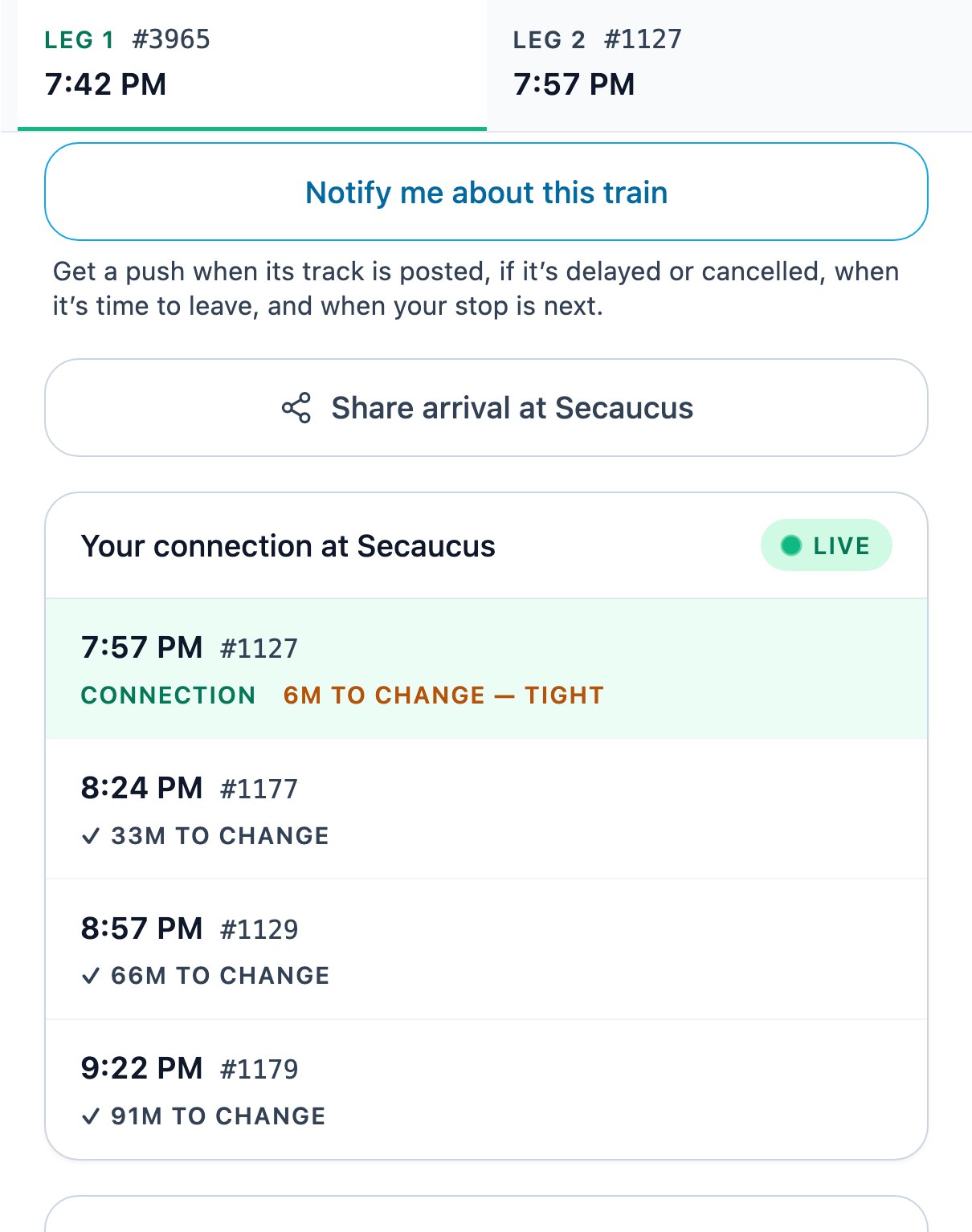
A RailDash journey from New York Penn to Allendale: Leg 1 (train 3965, 7:42 PM) and Leg 2 (train 1127, 7:57 PM) as two tabs pinned at the top, above the connection panel at Secaucus showing 6M TO CHANGE — TIGHT with later trains at 33, 66 and 91 minutes to change

Also in RailDash

The small things, done properly.

  • Whole-station board

    Every departure from any station, all lines — like the big board on the concourse.

  • Share your live ETA

    Send a link to your live arrival. No app or login for them, and it expires by itself.

  • Live service alerts

    Real disruptions on the route you're looking at, with the noise filtered out.

  • Plan any day

    Tomorrow, or any date about six months out — and alerts you arm now wake up on the day.

  • Look up a train by number

    Heard “train 1132” over the PA? Type it, and RailDash finds the run and tracks it.

  • Low Vision mode

    One switch for bigger type, bigger targets and stronger contrast on a dark platform.

  • Favorites on every phone

    Your saved routes and settings follow your account. Using two devices? The first sync combines both lists.

  • One honest catch: no tickets

    RailDash can't sell fares. A one-tap Buy tickets shortcut opens the NJ Transit app to pay.

Buses, too
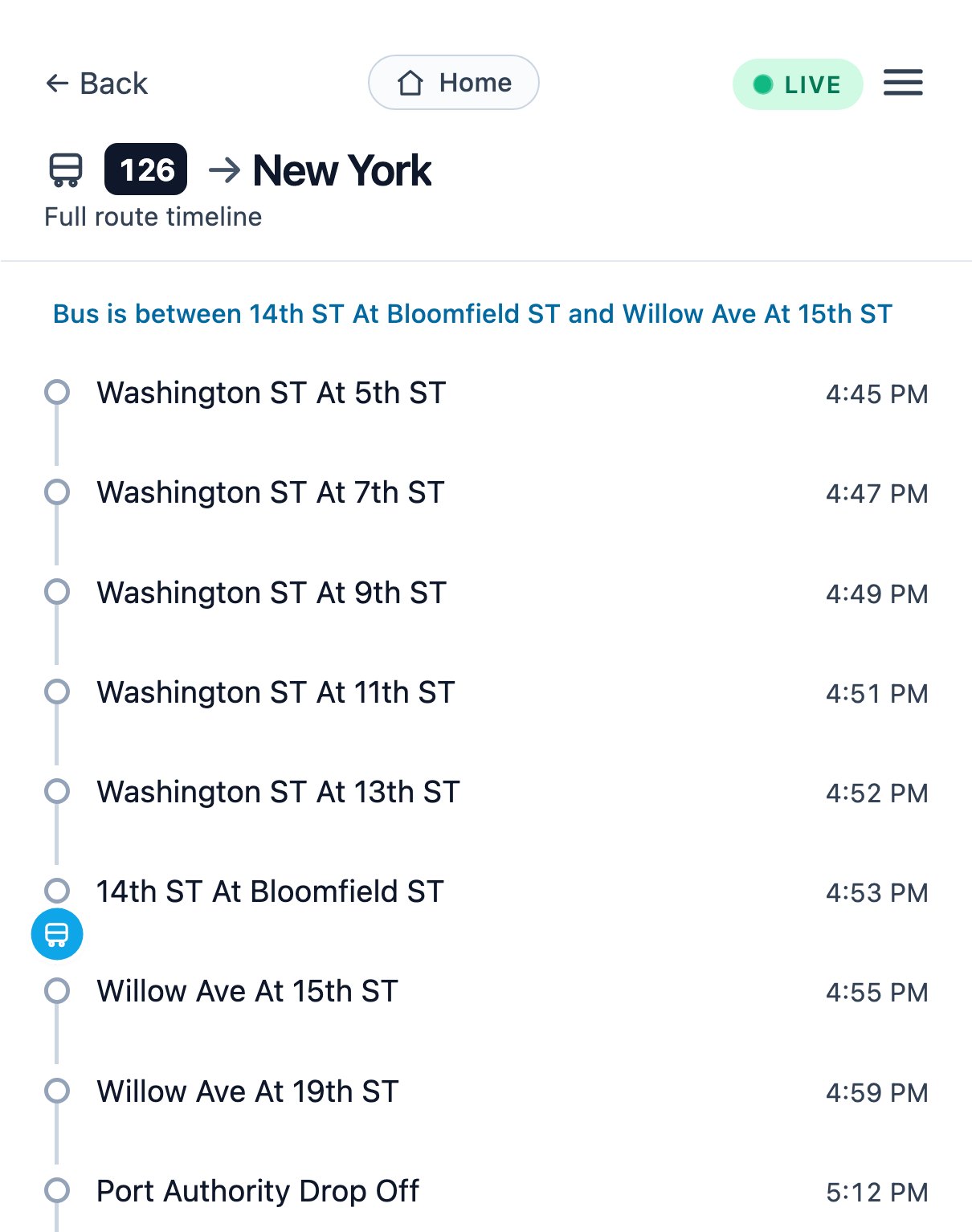
Live buses, across the whole state.

  • Any of ~16,500 stops: what's leaving, which gate, and when.
  • Every bus on a route right now, and exactly where it is.
  • Save a stop — or pin just the one route you ride.
A live NJ Transit route 126 bus in RailDash, drawn on its route timeline between 14th St at Bloomfield St and Willow Ave at 15th St, with the time at each stop

Privacy first

We don't want your travel data.

There's nothing to sell, and no one to sell it to.

  • We never record where or when you actually travel.The trains you look up, the searches you run and the trips you take are not logged against your account. Saving a route is you choosing a shortcut — it isn't us watching you use it.
  • What we keep is your account and your own settings.Your email address, when you last signed in, and the things you chose to save — the favorites you created, how long it takes you to reach your station, and how you like the app set up. That's the database.
  • No ads, no trackers, no selling.No third parties get your data. Your email is used for one thing: sending your sign-in code.

Get started

Up and running in under a minute.

No app store. No password to remember. Just your email.

  1. Open it

    Go to raildash.app — in Safari on iPhone, Chrome on Android.

  2. Add to Home Screen

    iPhone: tap , then Add to Home Screen. Android: Chrome offers to install it. It runs full-screen and enables alerts.

  3. Sign in

    Enter your email, pop in the 6-digit code, and you're in. No password, ever.

Open RailDash →

I kept squinting on cold platforms, trying to work out if my train was late and which track it was on. So I built the app I wanted — and now it's free for every NJ Transit commuter.

— Max, a fellow NJ Transit commuter